How to Search Ads using the Foreplay API
If you want Foreplay feeding your stack instead of clicking around the UI, this walkthrough shows how to use the Foreplay API to search 100M+ ads from any automation tool. You will see how to set up the request, filter for exactly the ads you care about, and send the results straight into Slack, Sheets, or whatever workflow you already use.
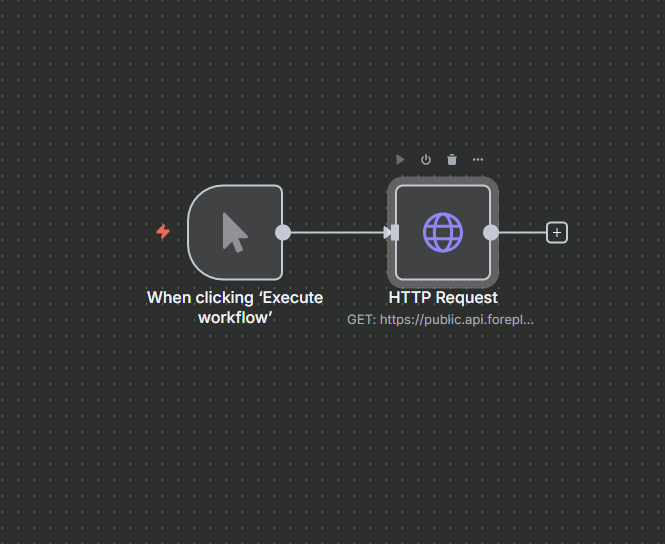

If you want Foreplay to feed your workflows automatically instead of clicking around the UI, the API is the way in.
Here’s a simple example of how to search through 100 million plus ads using the Foreplay API inside an automation tool like n8n. You can copy the logic to any platform that can send HTTP requests.
1. Set up your HTTP request
In your automation tool:
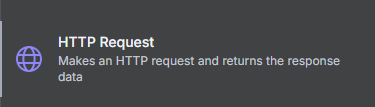
- Create a new HTTP Request node

- Grab the server URL from the Foreplay API docs
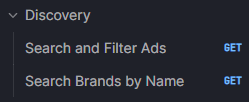
- Set the endpoint to the search-and-filter-ads route (Search and Filter Ads in the docs)
You should now have something like:
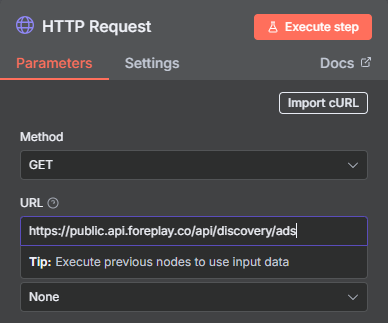
- Base URL: Foreplay API server URL
- Endpoint: Search and Filter Ads
2. Add authentication
The API uses an Authorization header.
- Go to the Headers section
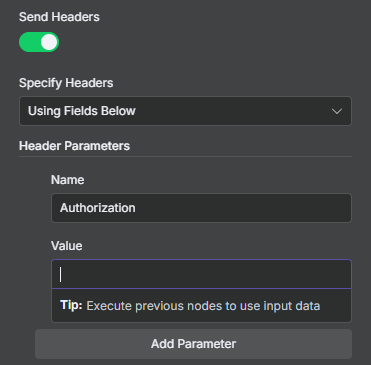
- Add a header:
- Key: Authorization

- Value: your Foreplay API key (copied from your Foreplay account)
That is your Authentication done.
3. Add your query parameters
Now we tell the API what we want to search for.
For example, say you want to find TikTok video ads in English for a creatine product, only the ones that are still live, sorted by longest running.
Add query parameters like:
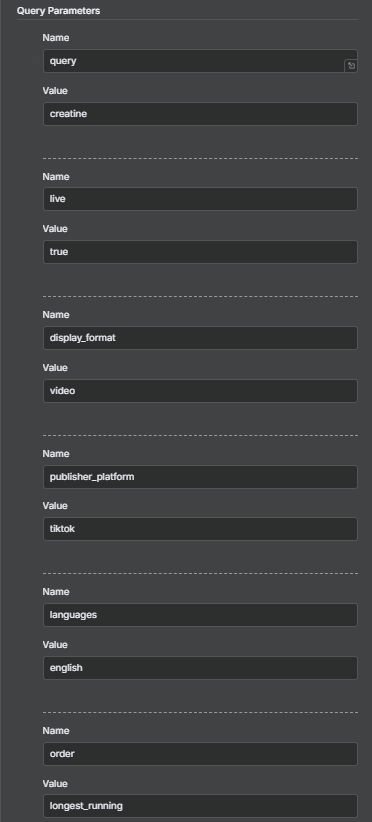
- query = creatine
- live = true
- display_format = video
- publisher_platform = tiktok
- language = english
- order = longest_running
Hit Run.
4. Read the response
You will get back a list of ads that match your filters. For each ad, you will see things like:
- The video file and thumbnail
- Headline and description (for example, “drink your creatine”)
- Category, niche, and language
- How long the ad has been running
- Timestamps and full transcription
- CTA
- Display format
- AI emotion analysis
At that point you can:
- Pipe the data into Slack
- Save links to a Google Sheet
- Push winning ads into a creative report
- Or plug it into whatever workflow you use
Now you have a simple playbook:
- Use the Foreplay API
- Get specific with your filters
- Let your automation handle the boring work
That is how you tap into 100M+ ads with the Foreplay API and plug the results straight into your own workflows.
