How to Set Up a Facebook Retargeting Campaign
This blog walks you step by step through setting up a pure Facebook retargeting campaign inside the new Advantage+ Sales flow, showing exactly how to override Meta’s defaults so your ads reach only past customers or site visitors.

If you are using the new Advantage+ Sales setup inside Meta, this is the simplest way to build a dedicated retargeting campaign that focuses only on your existing customers or people who have already interacted with your business.
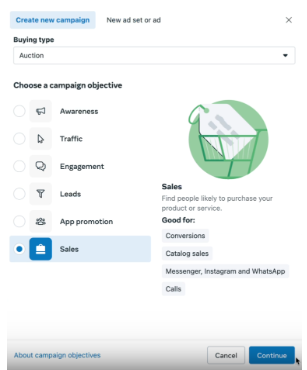
Start by clicking Create, choose Sales, and move through the setup flow normally, clicking each blue button as they are presented to you. You’ll notice you won’t get the choice between Advantage+ and Manual that you used to.
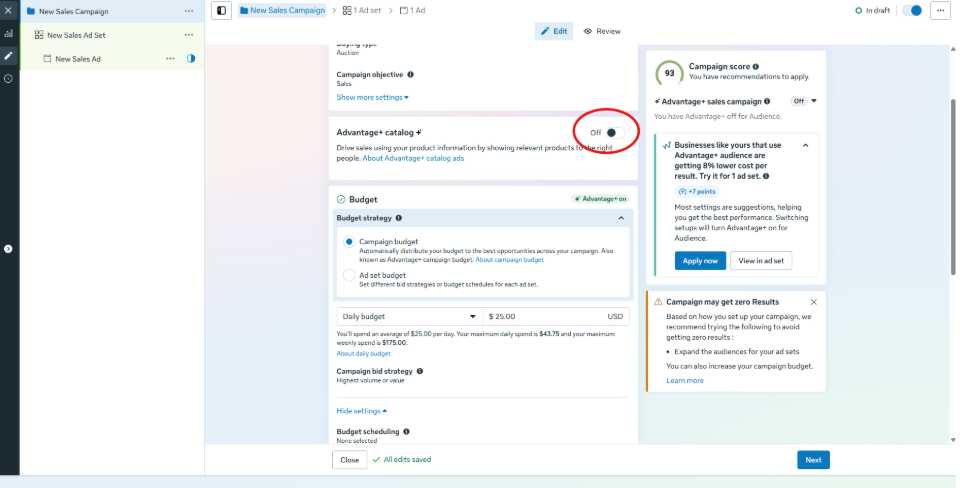
You go into the campaign builder. Turn Advantage+ off for the catalog and continue through to add budget as you ordinarily would.
For a retargeting campaign, it might be normal for this to be anywhere from 50% to 10% of your main scaling campaigns budget.
Turn off the Advantage+ audience, we don’t want to let Meta expand here.
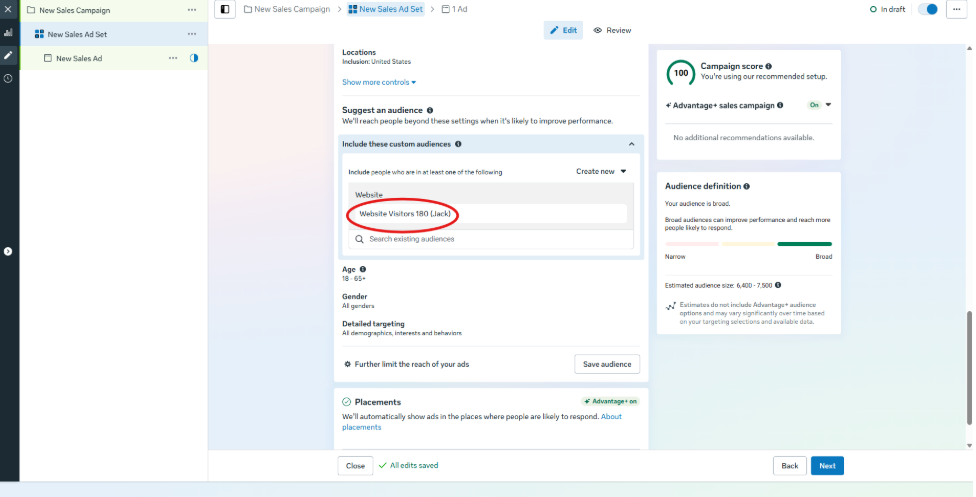
You could add your 180 day website visitor audience as a suggestion, but suggestions will not restrict anything. They just tell Meta who your core audience is while still allowing expansion.
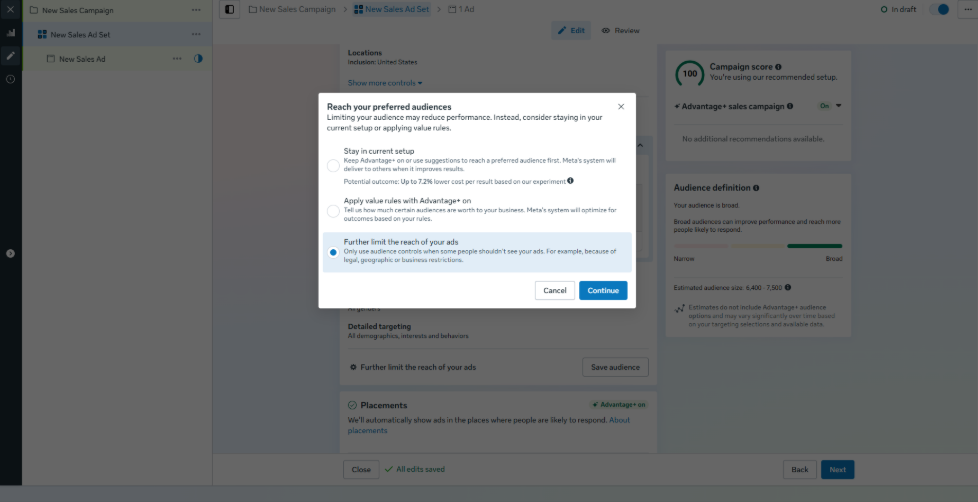
To force retargeting only, click Furtherlimit the reach. Meta will warn you that switching setups may reduce performance. It will even tell you that staying in the recommended setup could lower your cost per result by about 7%. Ignore that. Click Switch setup.
When the setup switches, make sure the checkbox for Use as a suggestion is off. If that box is on, Meta will expand to similar audiences. If you want pure retargeting, turn it off.
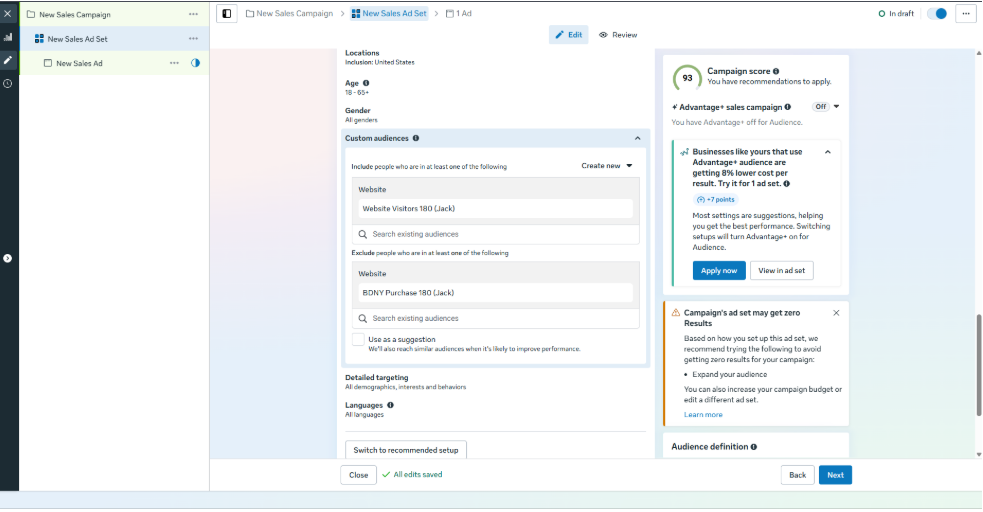
Now you can choose the exact custom audiences you want. For example, 180 day purchasers. If you want to retarget visitors who did not purchase, include website visitors and exclude purchasers.
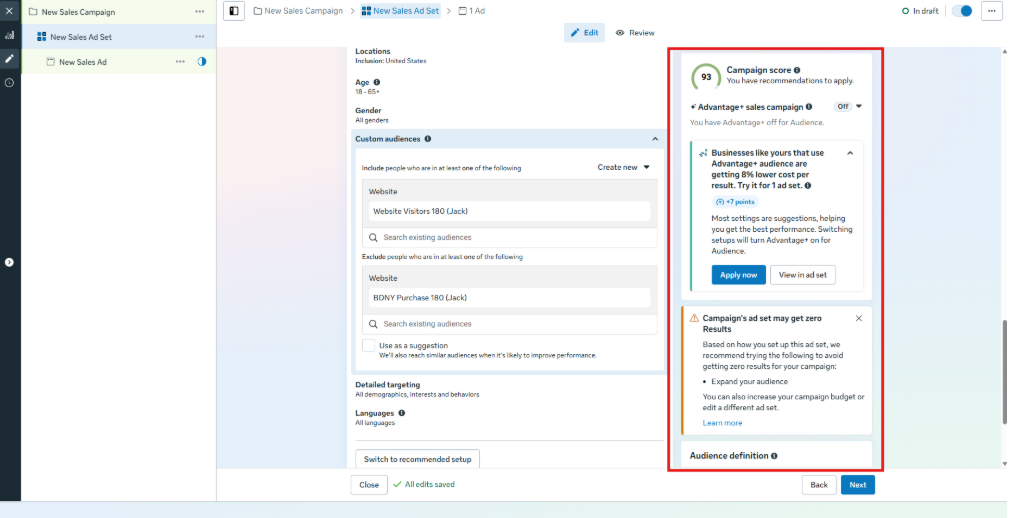
On the right side you will see warnings like Advantage+ Sales is off, your audience check is not checked, and messages about switching to the recommended setup.
You might also see a warning that your ad set could get 0 conversions. Meta’s suggestions will tell you to broaden your audience or increase your budget. This happens every time you restrict a retargeting audience. It is normal
A quick reminder. Your Advantage+ Sales campaigns are already capable of retargeting your customers and website visitors but they also find new buyers. So you only need a dedicated retargeting campaign if you specifically want to force all spend into people who have already shopped or already visited your site.
That is how to set up an exclusive retargeting campaign in Meta.
