How to Launch a Geo Targeted Ads in Facebook
In this blog Jack Kavanagh explains how to set up a clean geo targeted Facebook campaign in the new Advantage Sales flow, showing you where to find location controls, how to restrict expansion, and how to combine city targeting with custom audiences.laining

If you want to run ads in specific cities or regions, Meta makes it pretty simple once you know where everything lives in the new Advantage Sales setup. Here is the fastest way to launch a clean geo targeted campaign.
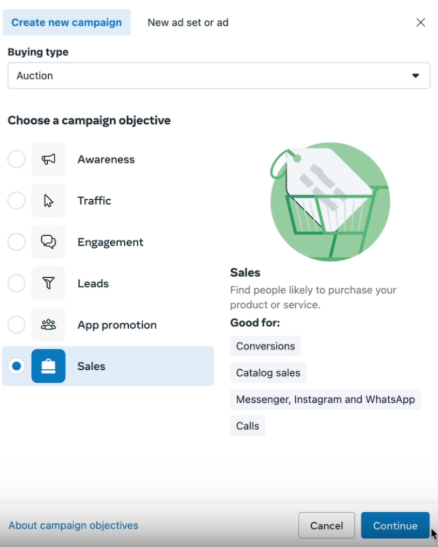
Start by creating a new campaign and choosing the Sales objective. Make sure the campaign level settings are set the way you normally run things.
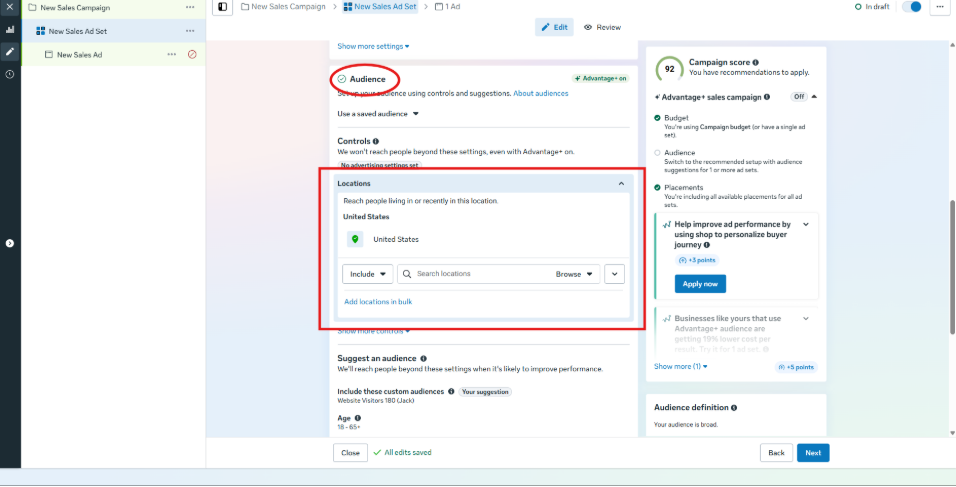
The important part for geo targeting is inside the Audience section under Locations.
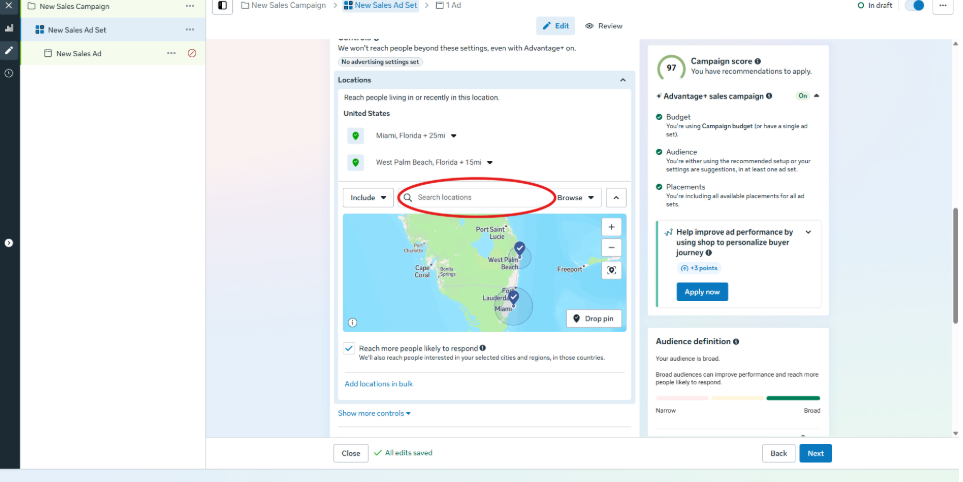
Search for the locations you want. For example, you can target Miami, New York, West Palm Beach, or whatever cities matter to you. You can also adjust the radius. Meta lets you shrink it down to a minimum of 10 miles, so if you want a tight radius around a specific area you can set that up. You can stack multiple locations and give each one its own radius.
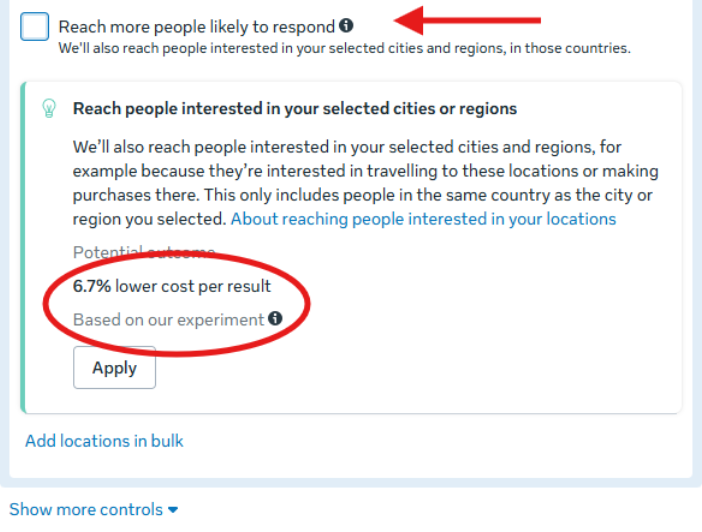
If you want the campaign to only target those areas, uncheck the box that says Reach more people likely to respond to your ads. Meta will warn you that limiting your targeting might increase your cost per result. That warning shows up every time you restrict your audience.
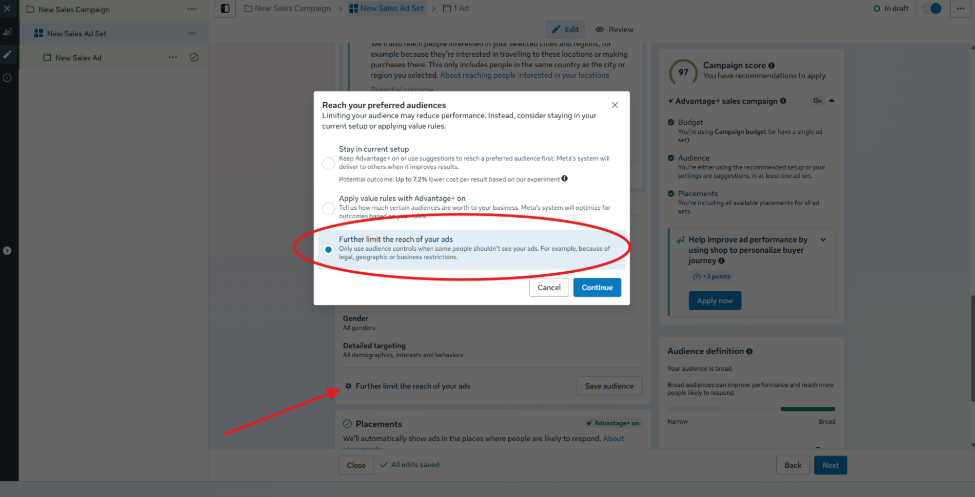
If you want to go even narrower, click Further limit the reach of your ads. Meta will recommend that you do not switch setups, but go ahead and switch. After that, double check that the expansion box under Locations stays off.
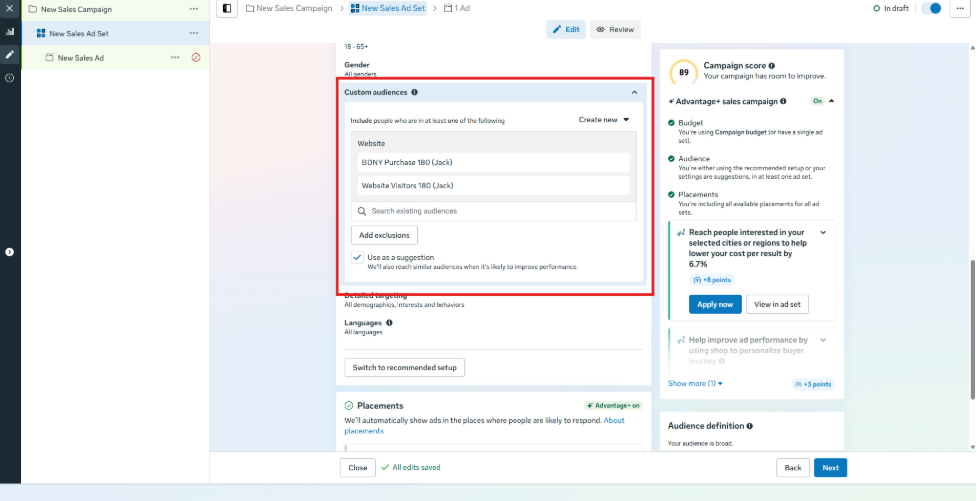
From here you can combine geo targeting with custom audiences. For example, you can include 180 day purchasers, catalog purchasers, or any other custom audience you normally use. You can also switch to only retargeting if you want your ads to show only to people in that specific area who have added to cart or viewed a product but not purchased.
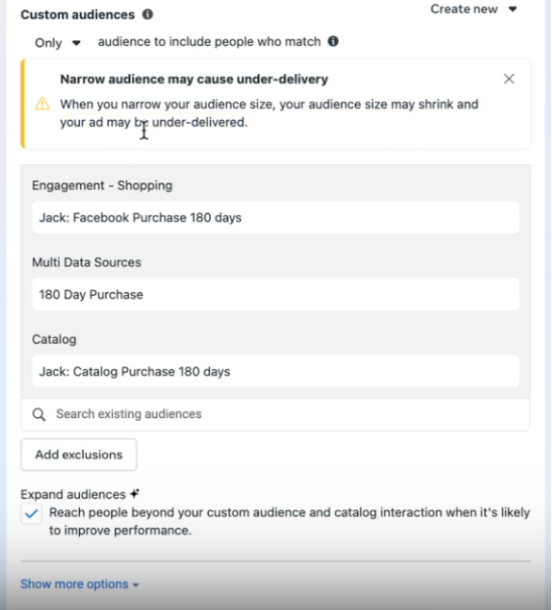
Once you tighten the audience you will probably see another warning saying Narrow audiences may cause under delivery. This is normal. Any time your audience shrinks, Meta reminds you that it could slow delivery.
That is all you need to launch a clean geo targeted ad inside Meta.
